Profitability built in, not bolted on
Revenue versus cost by client and engagement with margin targets — including fixed-fee work — instead of reports assembled from exports.
Head-to-head comparison
Canopy is known for practice management with client portal, document management and workflow. Here is how the two platforms differ on WIP, billing, client profitability and utilization — the numbers partners ask about.
Canopy is a broad practice management suite for accounting firms, known for its client portal, document management, workflow and tax resolution tools. Firms choose it to centralize client communication and documents in one place.
Practice Ledger focuses on the economics of the work. Time, WIP, billing, client profitability and staff utilization live in the same ledger, so the numbers partners see on the dashboard match the WIP report and the invoices that go out.
Bottom line: Choose Canopy if a client portal, document management and tax workflow are the priority. Choose Practice Ledger if the priority is knowing which engagements make money, billing WIP faster and managing team utilization.
Feature comparison
Capabilities are summarized from publicly documented product information and change over time — confirm details on your own demo.
| Capability | Practice Ledger | Canopy |
|---|---|---|
| Client portal & document management | Engagement notes and approvals | Core strength — portal, files, e-signatures |
| Time & expense capture | Fast entry with approval queues | Included with workflow |
| WIP report with aging | Yes — ranked, aged, invoiceable | Available; billing-focused reporting |
| Client profitability (revenue vs cost) | Yes — margin vs target by client | Limited profitability reporting |
| Staff utilization & peer comparison | Yes — firm-wide plus person profiles | Workload and task views |
| Engagement budget burn & at-risk flags | Yes — tracked across every engagement | Budget tracking on projects |
| Firm analytics with prior-year trend | Yes — revenue, profit, department mix | Insights available on higher tiers |
| Pricing model | $149/user/mo Professional, $249 Enterprise | Modular per-user pricing by feature set |
Why firms switch
Revenue versus cost by client and engagement with margin targets — including fixed-fee work — instead of reports assembled from exports.
Unbilled work ranked by client with aging, and invoicing built into the report, shortening the path from work done to cash collected.
Firm-wide utilization with person-level profiles and peer comparison, so capacity decisions are based on live data.
Dashboard, WIP, profitability and utilization all read the same time and billing records — no reconciliation between modules or exports.
Inside the platform
Click through the modules to see the real screens partners use — no signup required.
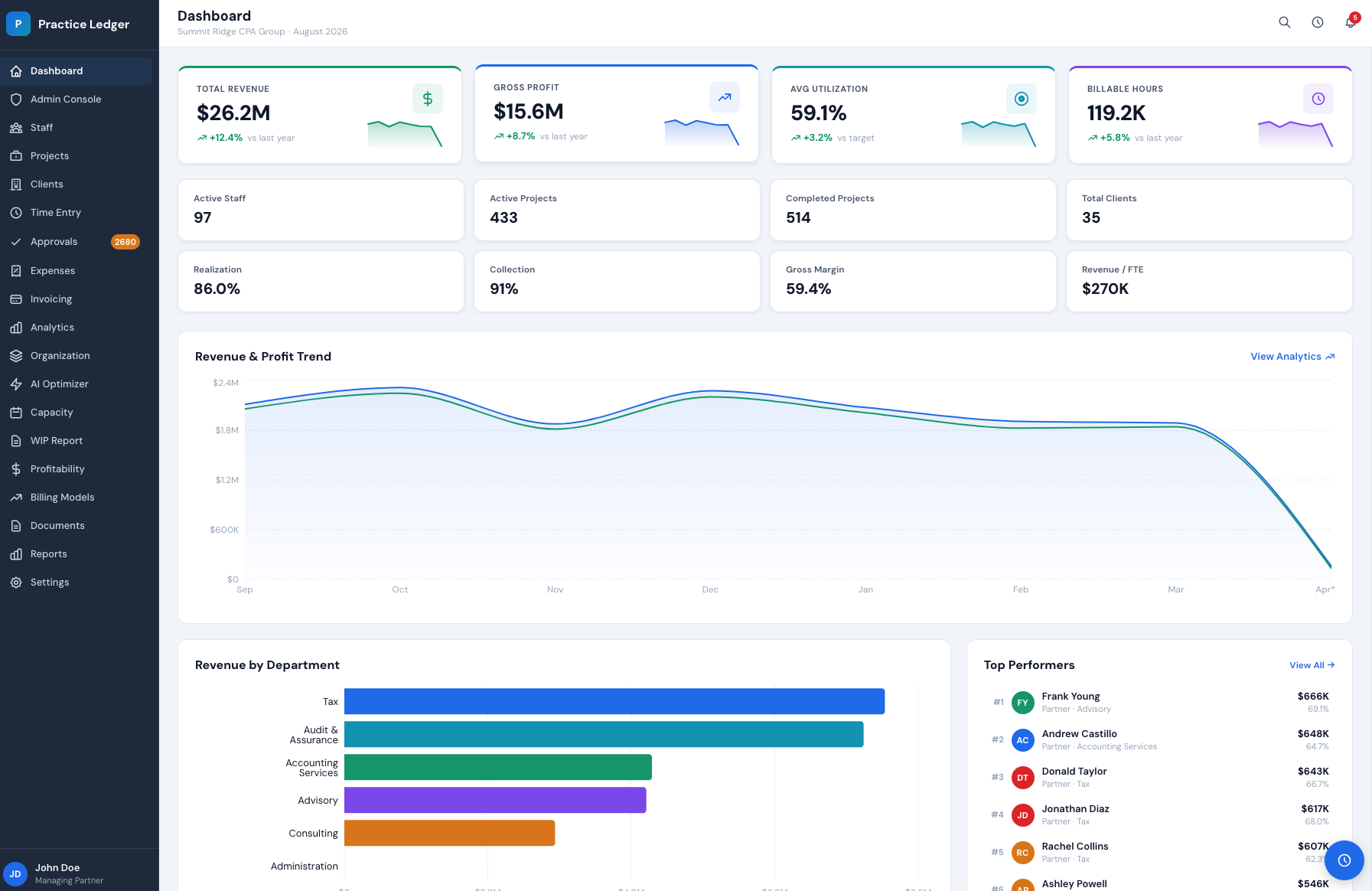
Revenue, gross profit, utilization, billable hours and realization together, with trend direction before you open a report.
Most firms shortlist three platforms. These pages cover the rest of the comparison.
The six evaluation criteria, the demo questions to ask, and how to score every vendor.
Read moreTime entry, expense capture, WIP, invoicing and realization in one firm ledger.
Read moreLive utilization, billable hours and revenue per person, with staffing recommendations.
Read moreA 30-minute walkthrough of the dashboard, WIP report and profitability views, mapped to your service lines and billing models.