Time, expense & billing
Time, expense and billing software for CPA & consulting firms
One ledger for hours, expenses, work in progress, invoices and realization. Staff enter time in seconds, managers approve it, and partners see unbilled WIP and margin the same day — not three weeks after month end.
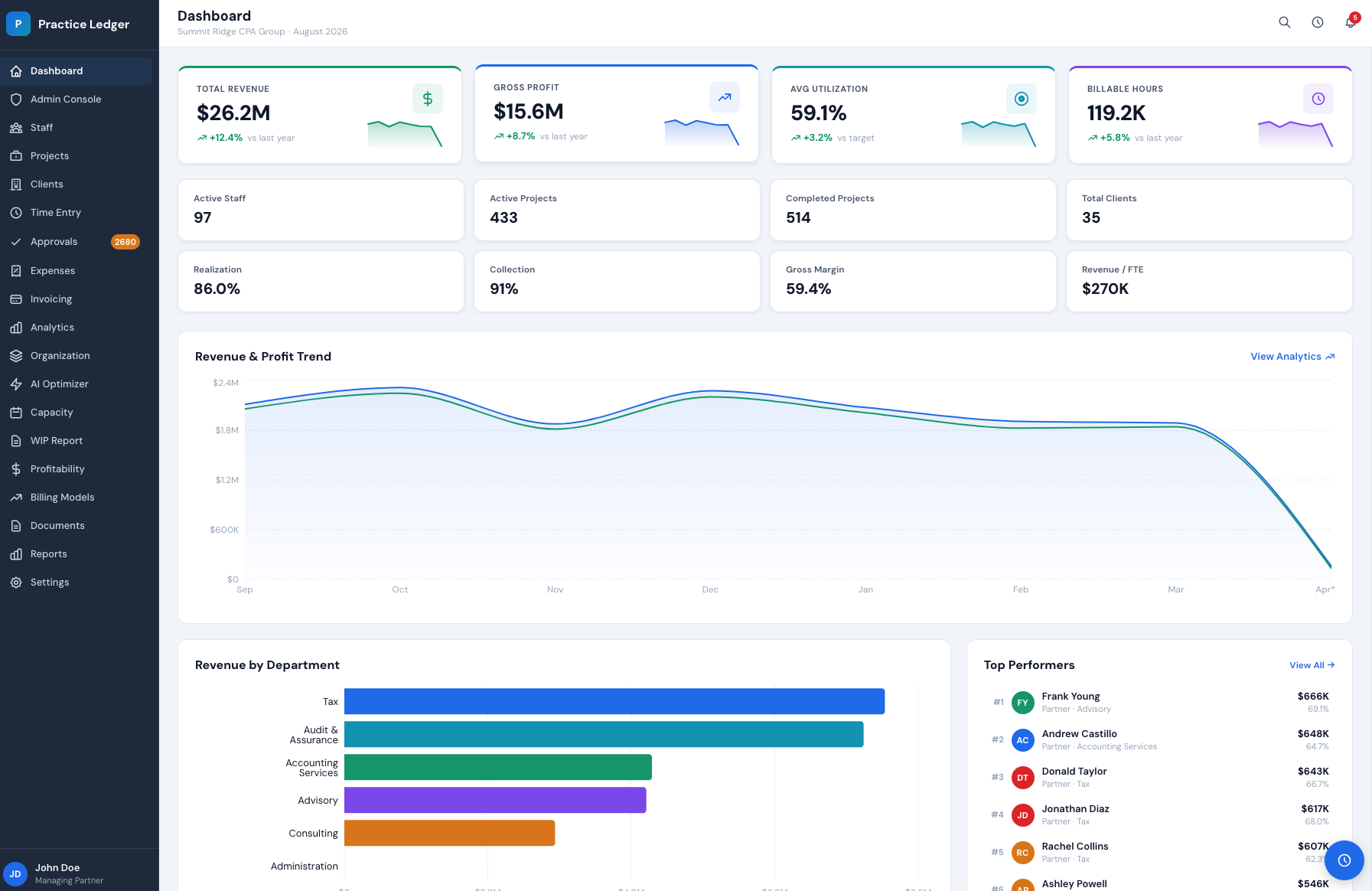
- Unbilled WIP visible
- Live
- Time to invoice
- Days, not weeks
- Seat price
- $149/user/mo
- Free trial
- 30 days
No month-end export to see it
Bill straight from approved time
$119 billed annually
No credit card required
Time entry that people actually complete
Daily or weekly grid, timers, and engagement-aware defaults so hours land on the right client, task and rate the first time.
Expense capture with receipts
Log out-of-pocket and client-disbursed costs, attach receipts from your phone, and mark them billable or absorbed.
Invoicing and billing arrangements
Hourly, fixed-fee, retainer and milestone billing — draft invoices from approved time and expenses, then send and collect.
WIP and realization
Every unbilled hour and cost sits in WIP with ageing, write-offs and realized rate by client, partner and service line.
Mobile time and expenses
Native mobile app for time entry and receipt capture, so field and travel work does not wait until Friday.
Approvals and controls
Manager review of timesheets and expenses, rate tables by role and client, and an audit trail on every adjustment.
Time entry tied to the engagement, not a free-text note
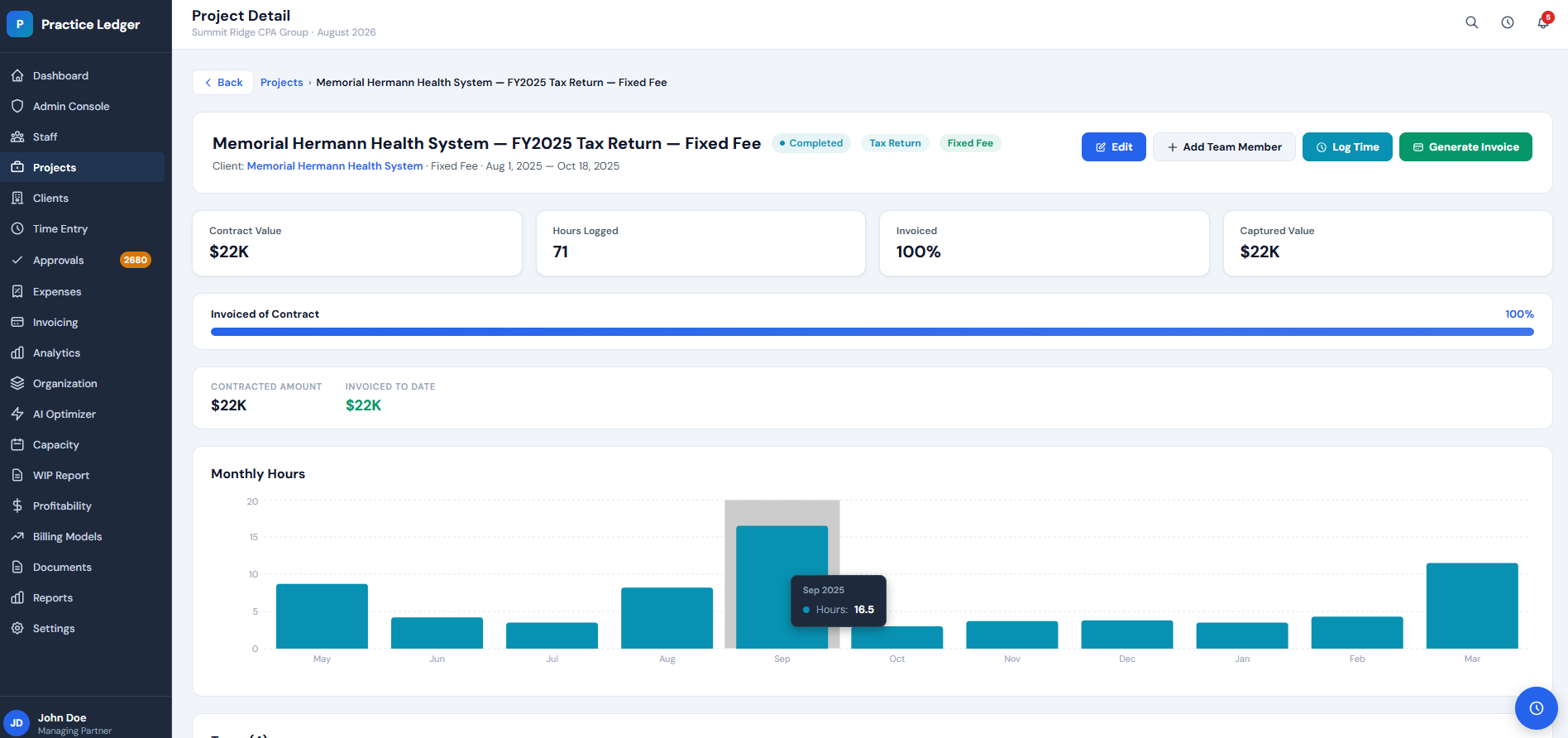
Every hour is logged against a client, engagement, task and rate. The engagement view shows contract value against hours logged month by month, so an overrun is visible while you can still do something about it.
- Daily grid, weekly grid or live timers
- Rate tables by role, client and engagement
- Budget vs actual hours per engagement
- Manager approval with a full audit trail
Expenses captured where the cost happens
Travel, filing fees, software and other client disbursements go in from the mobile app with a photo of the receipt. Mark them billable, absorbed or reimbursable and they follow the engagement into billing — no separate expense spreadsheet to reconcile at close.
Billable disbursements
Pass-through costs land on the next invoice at the markup you set.
Absorbed costs
Firm-absorbed spend still reduces engagement margin, so profitability stays honest.
Reimbursements
Approved out-of-pocket expenses are tracked per person for payroll or AP.
Billing that starts from live WIP
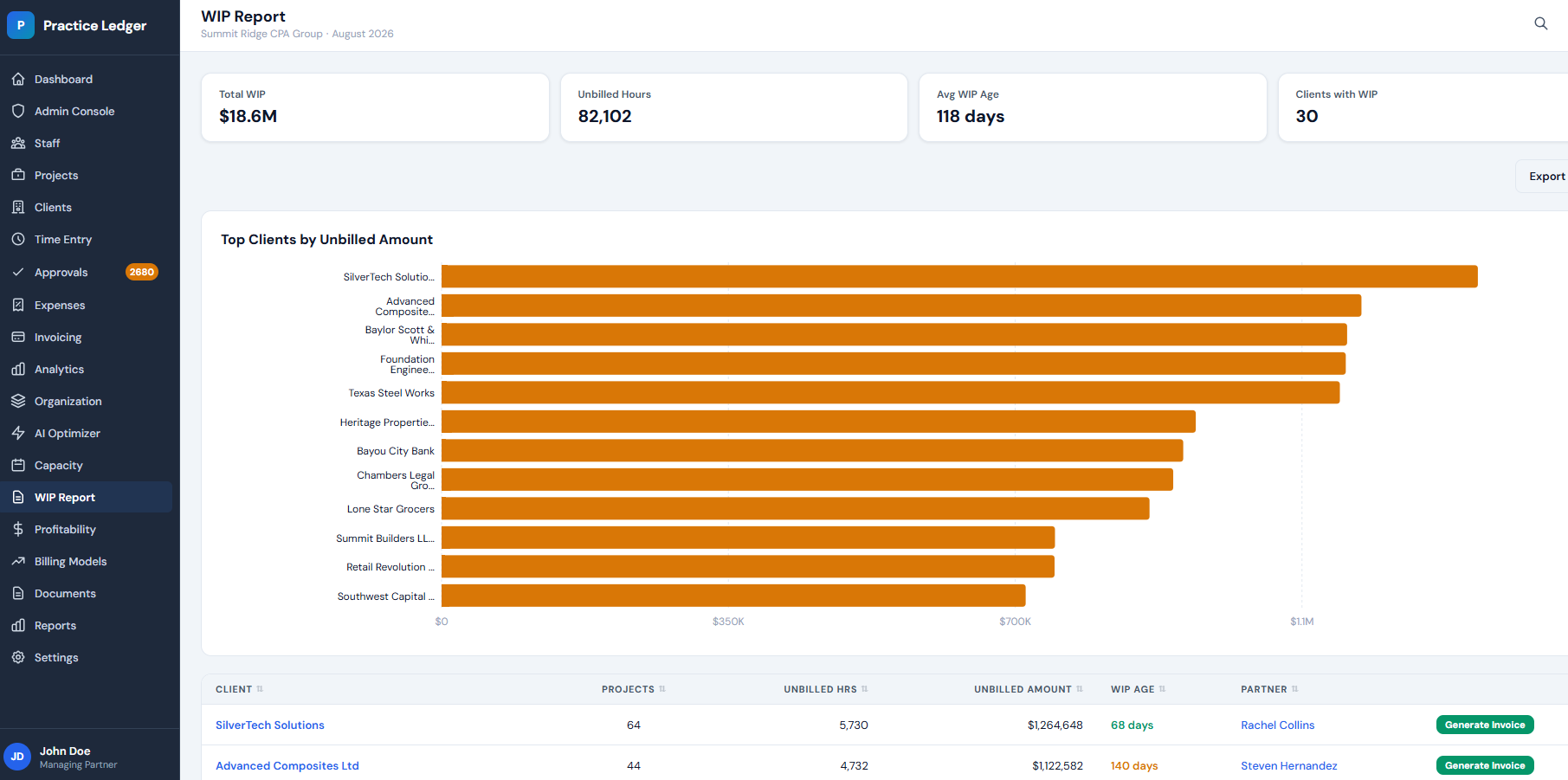
Unbilled time and expenses sit in a WIP report with ageing by client and partner. Draft an invoice straight from it, write off what you choose to write off, and see the effect on realization immediately.
- Hourly, fixed-fee, retainer and milestone billing
- WIP ageing and write-off tracking by client
- Client portal with online payment
- QuickBooks and Xero sync for the GL
Realization and profitability, from the same hours
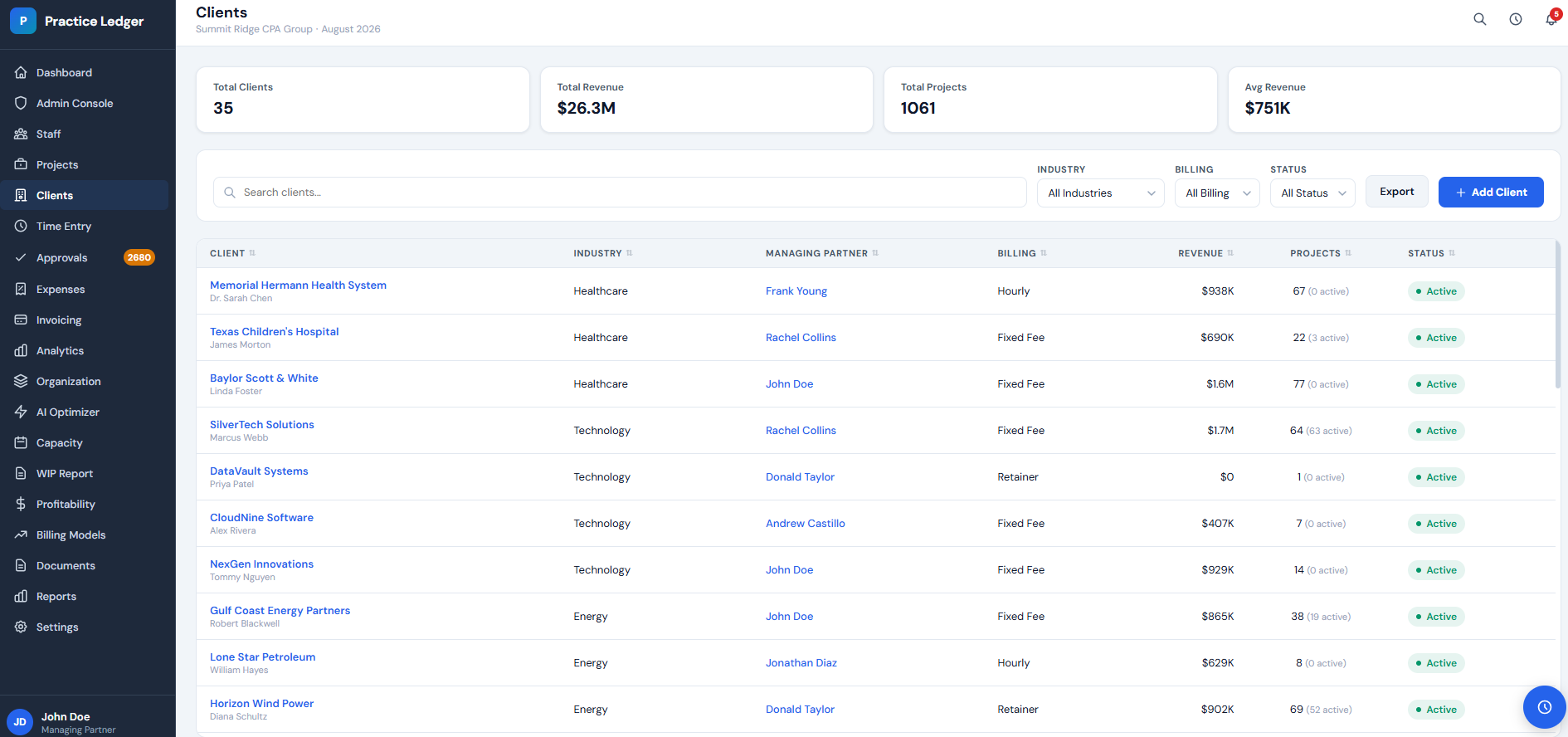
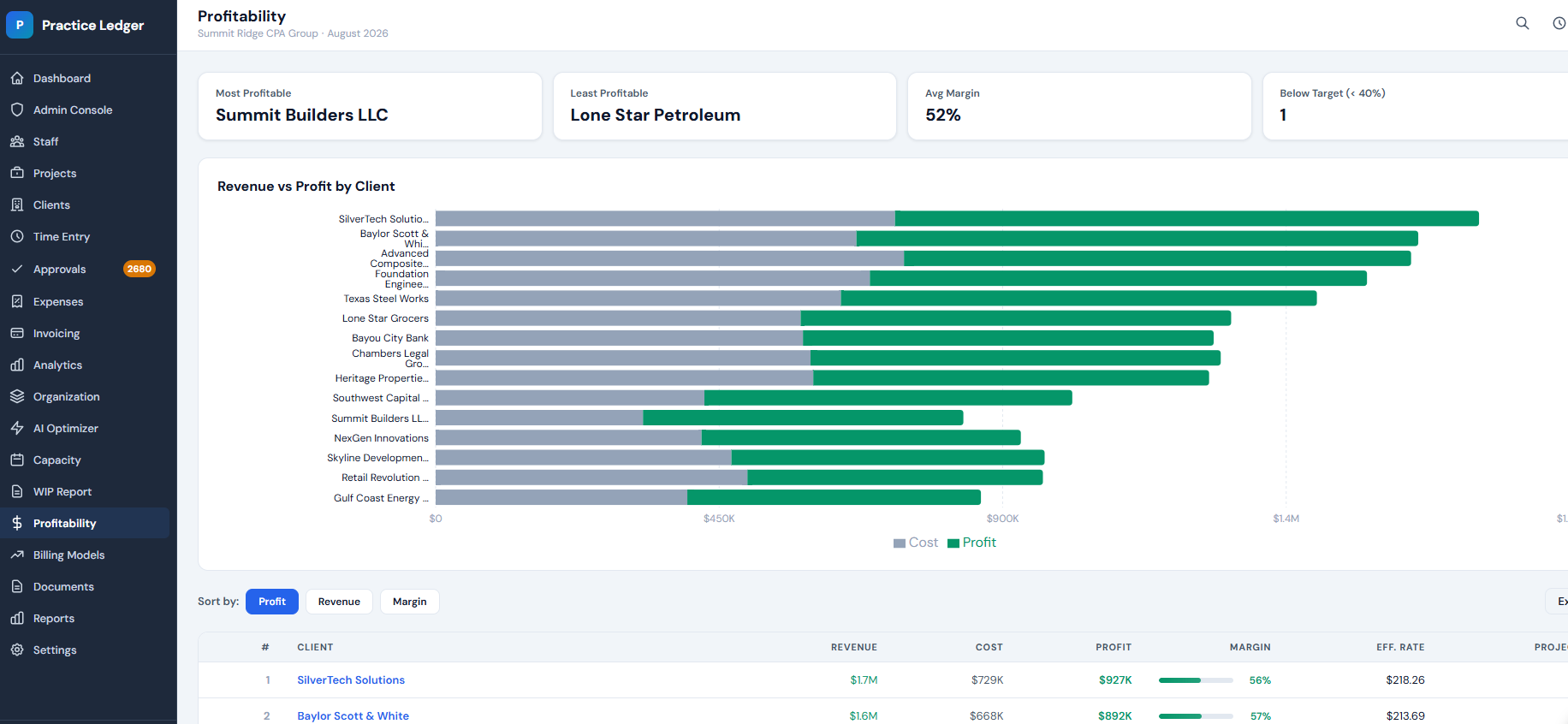
Because time, expenses and invoices live in one ledger, realized rate and margin are a report rather than a reconciliation. See revenue against profit per client, and which engagements quietly lose money.
Firm time and billing vs a general time tracker
Most time-tracking tools were built for agencies and freelancers. A professional-services firm needs WIP, write-offs and realization on top of hours.
| Capability | Practice Ledger | General time tracker | Why it matters |
|---|---|---|---|
| Time entry + expense capture | Included | Included | Table stakes |
| Invoicing from approved time | Included | Often add-on | Generic trackers export to a separate biller |
| WIP ageing and write-off tracking | Included | Rare | Firm-specific, missing from general time trackers |
| Realization and profitability by client | Included | Rare | Needs rate tables plus engagement structure |
| Utilization by person and role target | Included | Partial | See the Staff Utilization module |
| Published seat pricing | $149 / $249 | Quote-based | Legacy firm suites quote per module |
What's included by plan
Professional $149 per user/month · Enterprise $249 per user/month. Annual billing saves 20% ($119 and $199). Professional starts at 5 seats, Enterprise at 10.
| Capability | Professional | Enterprise |
|---|---|---|
| Time entry, timers and timesheet approval | ||
| Expense capture with receipt attachments | ||
| Invoicing, retainers and fixed-fee arrangements | ||
| WIP report with ageing and write-offs | ||
| Realization and profitability reporting | ||
| QuickBooks and Xero sync | ||
| Client portal and online payments | ||
| Native mobile app | ||
| Custom report builder | ||
| Guided migration from a legacy system | ||
| Multi-firm rollups and white-labeling | ||
| Priority SLA and named account manager |
Time, expense and billing questions
What is time and billing software?
It records the hours and expenses your people spend on client work, applies the right rates and billing arrangement, and turns that into invoices and revenue reporting. For accounting and consulting firms it also has to carry work in progress (WIP), write-offs and realization — which general time trackers do not.
How is this different from a general time tracker?
Tools like general timers stop at hours and a simple invoice. Practice Ledger keeps time, expenses, WIP, billing and profitability in one ledger, so an unbilled hour shows up as WIP today and as realized margin after you bill it.
Can we bill fixed fees and retainers, not just hourly?
Yes. Hourly, fixed-fee, retainer and milestone arrangements are all supported, and hours still accumulate against the engagement so you can see margin on fixed-fee work.
Does it handle expenses and reimbursements?
Staff log out-of-pocket and client-disbursed expenses with receipts from web or mobile, managers approve them, and billable costs flow onto the next invoice.
What does it cost?
Professional is $149 per user/month and Enterprise is $249 per user/month, with 20% off annually ($119 and $199). Professional starts at 5 seats, Enterprise at 10.
Can we move off our current system?
Yes — data import is included, and guided migration from legacy suites such as Practice Engine comes with Enterprise. Start with a 30-day free trial, no credit card.
Start your 30-day free trial
Tell us how you bill today and we'll open a trial workspace with your engagement and rate structure loaded — no credit card required.
Keep comparing
Most firms shortlist three platforms. These pages cover the rest of the comparison.
Buyer's guide: best accounting practice management software
The six evaluation criteria, the demo questions to ask, and how to score every vendor.
Read moreStaff utilization and the AI Workforce Optimizer
Live utilization, billable hours and revenue per person, with staffing recommendations.
Read morePricing and savings calculator
Seat pricing, annual discounts, and an ROI calculator for your headcount and billing rates.
Read more